TristamTech
Disclaimer: This repository documents the architecture and problem-solving approach behind systems independently designed and built by the author. It contains no proprietary source code, API keys, credentials, employer branding, or real user/organizational data. Screenshots are illustrative proof-of-concept only. Systems built using employer infrastructure (Jamf Pro) are documented here as a record of skill and handover-ready design, not a claim of personal ownership over the deployed instance.
🖥️ macOS IT Support Hub — SwiftBar Menu Extension
A persistent, zero-click menu bar diagnostic and admin console — with a hidden, PIN-gated privilege layer that unlocks on top of an active user session without a logout.
| 🖱️ Clicks to Access | 🔐 Auth Layer | ⏱️ Admin Session TTL |
|---|---|---|
| 1 | PIN via SwiftDialog | 10 min (self-revoking) |
📖 Executive Summary
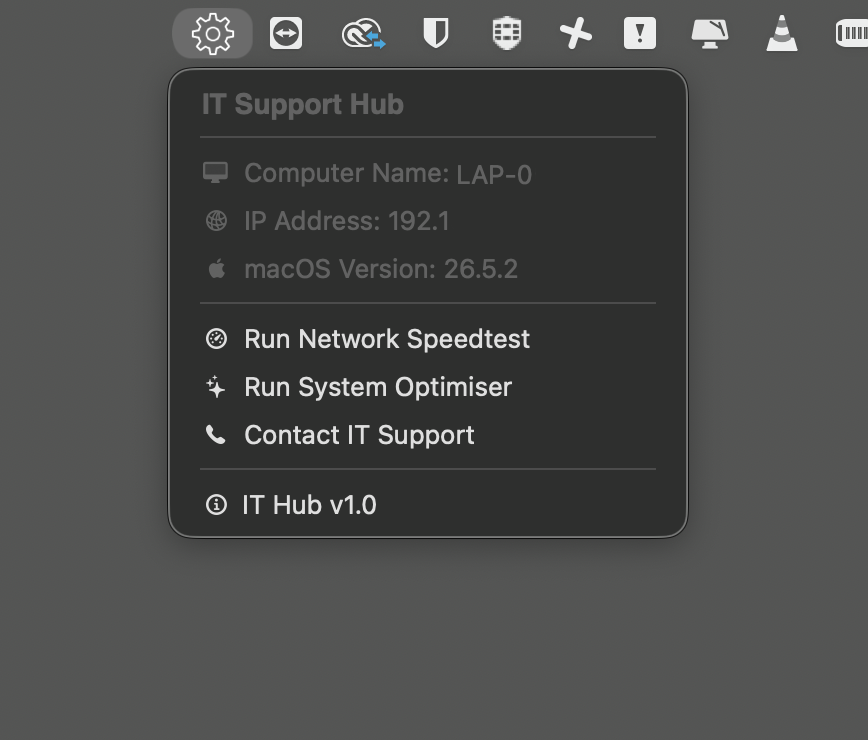
Standard Jamf Self Service requires a user to open an app and search a catalogue. This tool puts diagnostics permanently in the menu bar instead — live system stats, one-click utilities, and (for IT only) a hidden admin tier that unlocks Jamf actions directly on top of whatever the end user is currently doing, with no disruption to their session.
🧩 The Problem
An IT admin walking up to a student or staff machine mid-session needs to force a check-in, refresh inventory, or run a diagnostic — without asking the user to log out, without opening Self Service and hunting for the right policy, and without granting that power to anyone who isn’t IT.
🏗️ Architecture
┌─────────────────────┐
│   SwiftBar (menu)    │  ← re-renders on interval, reads local plugin script
└──────────┬───────────┘
           │ bash= calls
           ▼
┌───────────────────────┐
│ /usr/local/bin/        │────▶ jamf policy -event <name>
│ itsupport_trigger.sh    │
│ (nohup, detached)       │
└──────────┬─────────────┘
           ▼
   Jamf Custom Trigger Policies
   (speedtest / optimiser / contact form / trapdoor)
Dead ends that shaped the final design:
| Problem | What broke | Fix |
|---|---|---|
| SwiftBar needs to call root-level Jamf triggers as a standard user | jamf policy requires elevation |
sudoers.d rule scoped narrowly to jamf policy -event *, NOPASSWD |
| Calling a Jamf policy directly from a menu click | Menu bar hangs waiting on the process to return | Wrapper script fully detaches: nohup bash -c "jamf policy -event x" >/dev/null 2>&1 & |
| A background root process needs to talk to the logged-in user’s UI (SwiftDialog, refresh) | Root processes can’t touch the active window server session | Bridge via launchctl asuser <uid> open -g "swiftbar://..." |
| Menu doesn’t reflect a state change (e.g. admin unlocked) after a background action | SwiftBar’s own refresh interval isn’t event-driven | touch the plugin file — SwiftBar has a native file-watcher and reloads instantly on modification |
| Preventing tampering with SwiftBar’s own settings | Any user could quit/hide the tool | Metadata flags: <swiftbar.hideAbout>, <swiftbar.hideRunInTerminal>, <swiftbar.hideSwiftBar> |
🔐 The Trapdoor: Hidden Admin Layer
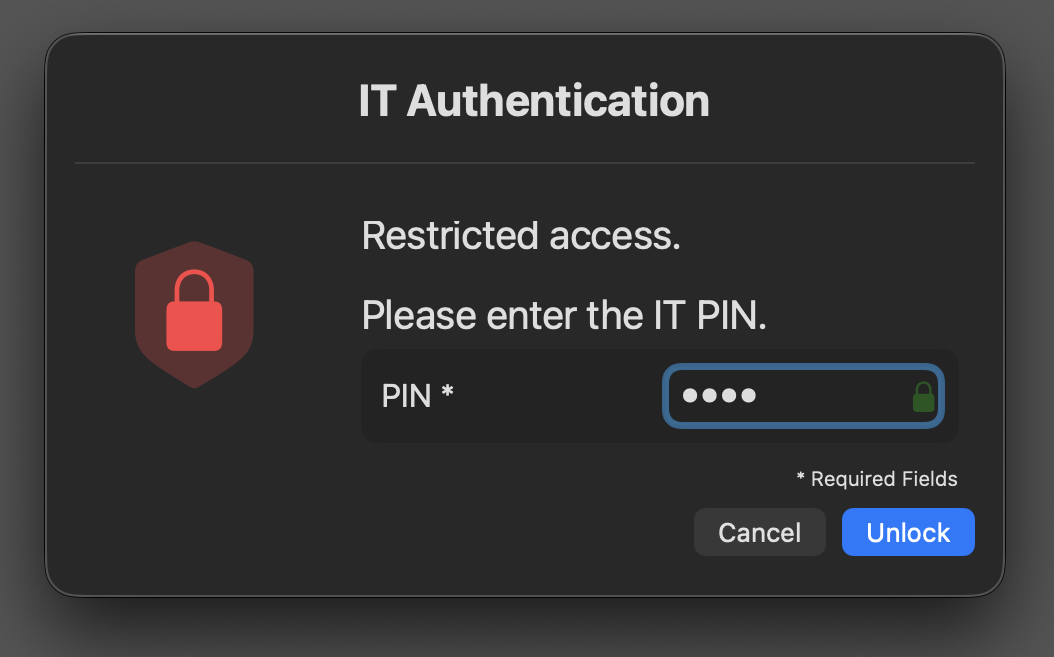
A deliberately boring, undisguised menu item (IT Support Hub v1.0) triggers a
SwiftDialog PIN prompt. On correct entry:
# --- Simplified core: PIN check → token drop → refresh → self-revoke ---
if [ "$typedPIN" == "$secretPIN" ]; then
    touch "$tokenFile"
    chown "$loggedInUser" "$tokenFile"
    launchctl asuser "$userID" open -g "swiftbar://refreshallplugins"

    nohup bash -c "
        sleep 600
        rm -f '$tokenFile'
        launchctl asuser '$userID' open -g 'swiftbar://refreshallplugins'
    " >/dev/null 2>&1 &
fi
- Token file is created by root, then ownership is handed to the logged-in
user — root creates it, but
/var/tmp’s sticky bit means only the owner can delete it later. This one took a full debugging cycle to catch. - The plugin file is
touch‘d to force the instant refresh described above. - A detached
osascripttimer auto-revokes the admin menu after 10 minutes — spawned outside Jamf’s own process tree so Jamf never hangs waiting on the sleep to finish.
🧰 Menu Contents (state-driven)
- Live stats (display-only): computer name, IP address, macOS version
- Standard tier: Run Network Speedtest · Run System Optimiser · Contact IT Support
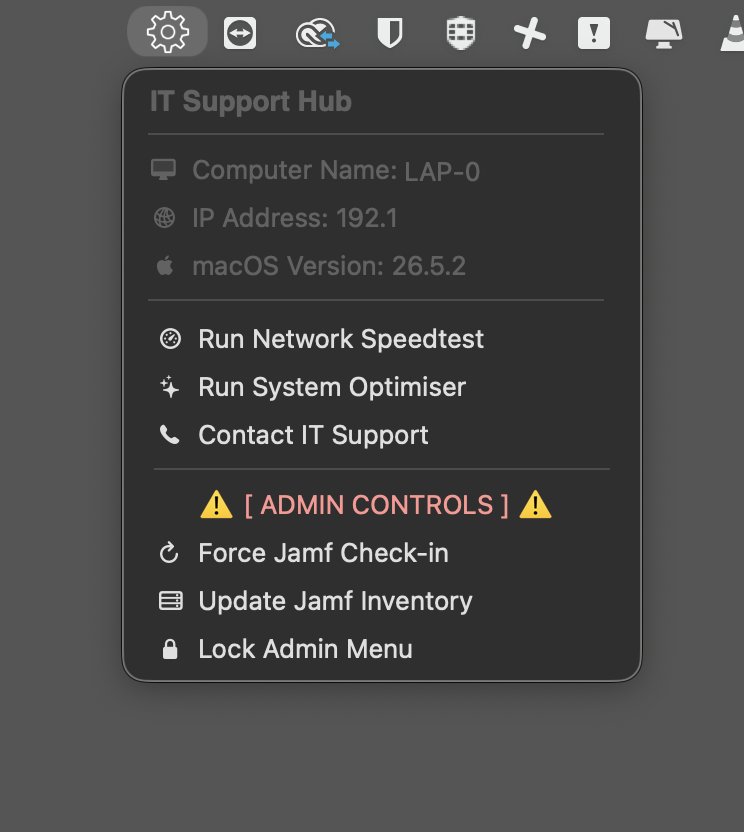
- Admin tier (PIN-gated, 10-min TTL): Force Jamf Check-in · Update Jamf Inventory · Lock Admin Menu
🛠️ Tech Stack
SwiftBar · bash · SwiftDialog · Jamf Pro (custom triggers, sudoers policy) · launchctl · AppleScript
📂 Repository Structure
swiftbar-it-hub/
├── README.md
├── screenshots/
│   ├── Main_Menu.png
│   ├── Admin_Mode_Pin.png
│   └── Admin_Controls.png
└── scripts/
    ├── it_support_hub.5m.sh
    └── itsupport_trigger.sh