TristamTech
Disclaimer: This repository documents the architecture and problem-solving approach behind a system independently designed and built by the author using employer-owned Google Workspace infrastructure. It contains no proprietary source code beyond generic implementation patterns, no real credentials, no live API keys, and no organizational branding. All identifying references have been replaced with placeholders. This is a record of engineering skill and handover-ready design, not a claim of ownership over the deployed production instance.
✍️ Dynamic Email Signature Generator & Animated Brand Asset
A self-service, Active Directory-integrated email signature platform — engineered in-house on existing Google Workspace infrastructure at zero licensing cost — paired with an animated brand asset.
| 💰 Build Cost | 📉 Vendor Cost/Year | 🎬 Logo Animation |
|---|---|---|
| £0 | £4,500 – £9,000 | 24fps, email-safe |
📖 Executive Summary
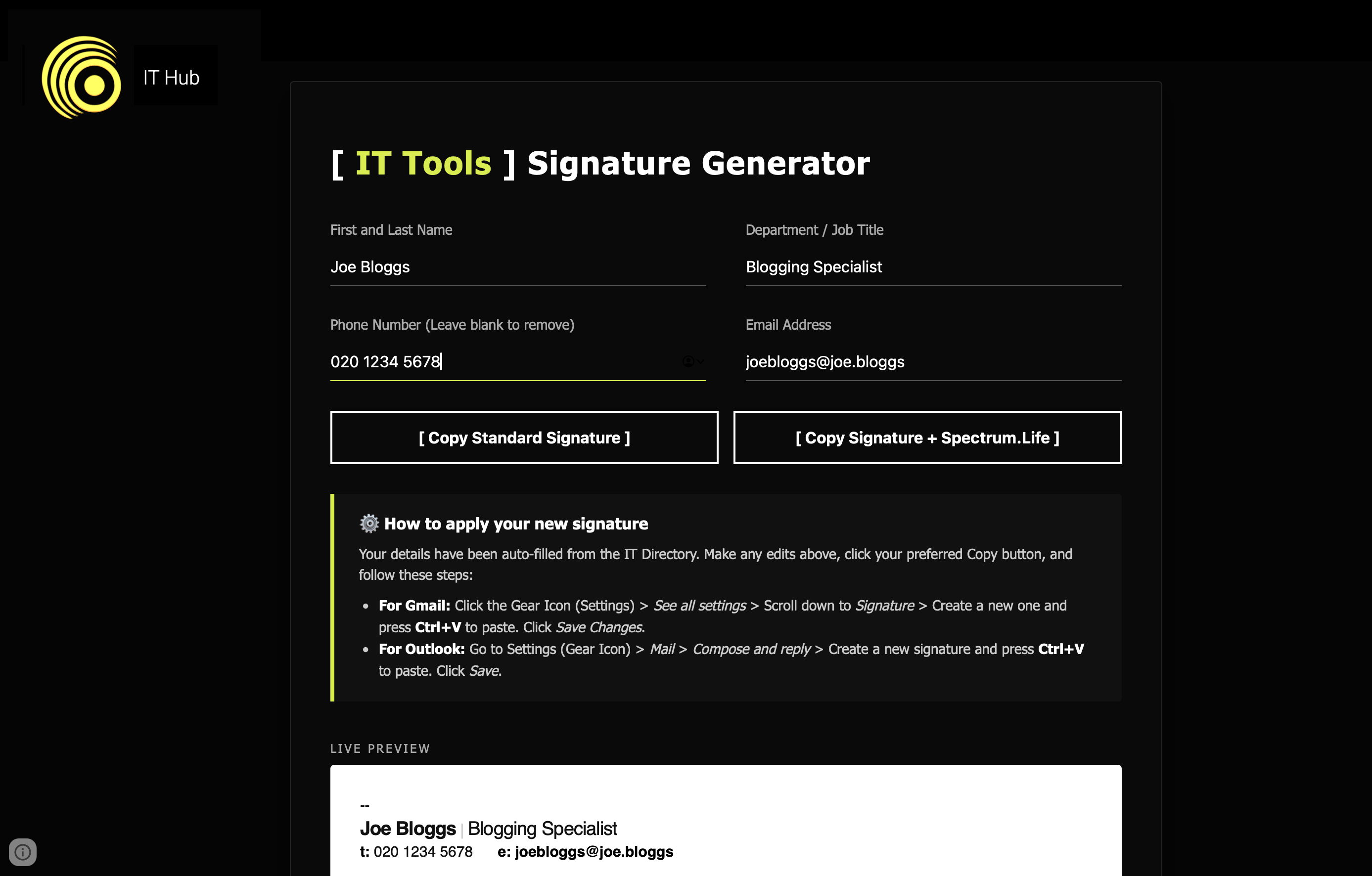
A staff member opens the tool. It silently authenticates them against the organisation’s Google Workspace Active Directory, auto-fills their name, job title, department, email, and phone number, renders a live signature preview — including a custom animated logo — and lets them copy a ready-to-paste HTML block directly into Gmail or Outlook.
Zero data stored. Zero database. Zero recurring licence cost.
This replaces the standard commercial fix (Exclaimer, CodeTwo — server-enforced signature platforms billed per-user, per-month) with a stateless tool built entirely on infrastructure the organisation already owned.
🧩 The Problem
Manual, staff-formatted signatures produce a predictable set of headaches at scale:
- Visual inconsistency — stretched/broken logos, inconsistent fonts, job titles in random casing
- Technical errors — outdated contact details, broken image placeholders
- Scalability — asking hundreds of staff to hand-format HTML correctly is not a deployment strategy
🏗️ Hosting Platform Evaluation
Every dead end here informed a real architectural constraint — the reasoning is the actual engineering value of this section.
| Attempt | Result | Why it failed |
|---|---|---|
| SharePoint document library | ❌ | Forces file download instead of rendering; SharePoint blocks custom HTML/JS as an XSS-prevention measure |
| SharePoint “Embed” web part | ❌ | Works, but exposes the full HTML/CSS/JS source to anyone using “View Source” |
| SharePoint List + Power Apps | ❌ | Functional, but forces staff into a database-style interface for a task that should take under a minute |
| Google Apps Script | ✅ Selected | Hosts a free stateless HTML page, needs no external server, and — critically — can call the Workspace Admin Directory API server-side |
// Code.gs — minimum viable version
function doGet() {
  return HtmlService.createHtmlOutputFromFile('Index')
    .setTitle('IT Signature Generator')
    .setXFrameOptionsMode(HtmlService.XFrameOptionsMode.ALLOWALL);
}
Deployment config: Execute as: Me · Access: Anyone within the organisation.
A Google Site is used purely as the branded front door — the Apps Script Web
App URL is embedded into it as a full-page embed.
⚙️ Application Architecture
Front End
Single Index.html served by Apps Script. Dark-mode UI matching brand identity
(#050505 background, neon accent), with:
- Minimalist bottom-border input fields
- Live signature preview in a white box — deliberately not dark mode, since it must match exactly how it renders once pasted into an email
- Responsive breakpoint stack (single-column collapse under 600px)
Back End — Active Directory Auto-Fill
Rather than making staff type their own details, the backend queries the
Google Workspace Admin Directory API for the currently authenticated user
and returns name, job title (falling back to department if blank), phone, and
email. On any failure, the function returns null and the form silently
falls back to manual entry — it never surfaces an error to the user.
// Code.gs — getStaffDetails()
function getStaffDetails() {
  try {
    var email = Session.getActiveUser().getEmail();
    if (!email) return null;

    var user = AdminDirectory.Users.get(email, {projection: "full"});
    var fullName = (user.name.givenName || '') + ' ' + (user.name.familyName || '');
    var jobTitle = (user.organizations && user.organizations.length > 0)
      ? user.organizations[0].title : '';
    var phone = (user.phones && user.phones.length > 0)
      ? user.phones[0].value : '';
    var department = (user.organizations && user.organizations.length > 0)
      ? user.organizations[0].department : '';

    return {
      name: fullName.trim(),
      title: jobTitle || department,   // graceful fallback
      phone: phone,
      email: email
    };
  } catch (error) {
    return null;   // fail silent — never break the form for the user
  }
}
Requires the Admin SDK API (formerly “Admin Directory API”) enabled under
Servicesin the Apps Script editor.
🎬 The Animated Logo
Alongside the web app: the static wordmark rebuilt as a 24fps animated GIF — built in Adobe After Effects, exported through Media Encoder and Photoshop.
Composition specs: 380–400 × 150–200px · 24fps · 4-second duration, resolving by ~1.5s and holding on the final frame · solid white background baked in at export (Outlook renders transparent GIFs with jagged white pixelation around edges — a solid background eliminates the problem before it exists).
Layer Separation & Timing
| Element | Behaviour | Technique |
|---|---|---|
| Wordmark (letters) | Soft directional wipe reveal | Linear Wipe, heavy feather (~200), opacity fade |
| Accent letter | Delayed fade-in, overshoot to 110–115% scale, settles to 100% | Opacity + Scale keyframes, Easy Ease (F9) |
| Bracket accents | Slide in, mechanical “strike-on” flicker (neon tube effect) | Position keyframes on Speed Graph (steep-then-flat) + manual opacity flicker across ~6 frames |
Motion blur enabled per-layer and at master composition level so the accent “snap” carries realistic blur instead of looking robotic.
Export Pipeline (two undocumented gotchas worth flagging)
Adobe Media Encoder’s native Animated GIF exporter silently locks frame rate to PAL values (25/50fps) unless the source is exported as H.264 first, and recent versions have quietly removed GIF looping control from the UI.
1. Export composition as H.264 MP4 @ 24fps (preserves frame rate options)
2. Drag MP4 into Photoshop
3. File → Export → Save for Web (Legacy)
4. Format: GIF · Colors: 64–128 · Looping: Once
Target output: under 300KB (ideally under 150KB) to avoid corporate spam filters flagging heavy image attachments.
🌐 Global CDN & Hosting Fixes
Hosting the finished GIF turned out to be its own problem, with three sequential failures:
- Apps Script itself can’t hold media — only
.gs/.htmlsupported; Base64-embedding was rejected (~33% payload inflation, Outlook/Gmail distrust inline Base64 images, and it made the editor lag badly). - Google Drive links break — Drive treats an automated image request from an email client as bot traffic and blocks it, producing the classic broken- image placeholder.
- Google Sites links also failed — the copied URL carried a session token tied to the account that generated it (worked for them, broke for everyone else), and the Site itself was restricted to internal users only — meaning the image would never render for anyone outside the organisation who received the email.
Fix: host the GIF on a genuinely public, hotlink-friendly CDN outside Google’s walled garden entirely.
<a href="[COMPANY_WEBSITE_PLACEHOLDER]" target="_blank"
   style="text-decoration:none; display:inline-block; width:180px; outline:none; border:none;">
  <img src="[PUBLIC_CDN_LINK_PLACEHOLDER]"
       alt="Company Logo" width="180"
       style="display:block; border:none; outline:none; margin-left:-6px;">
</a>
Note the explicit
display:inline-block; width:180pxon the wrapping anchor — without it, the clickable area stretches across the full signature width, causing accidental mis-clicks near the logo.
🐛 UX Refinements & Bug Fixes
| Issue | Fix |
|---|---|
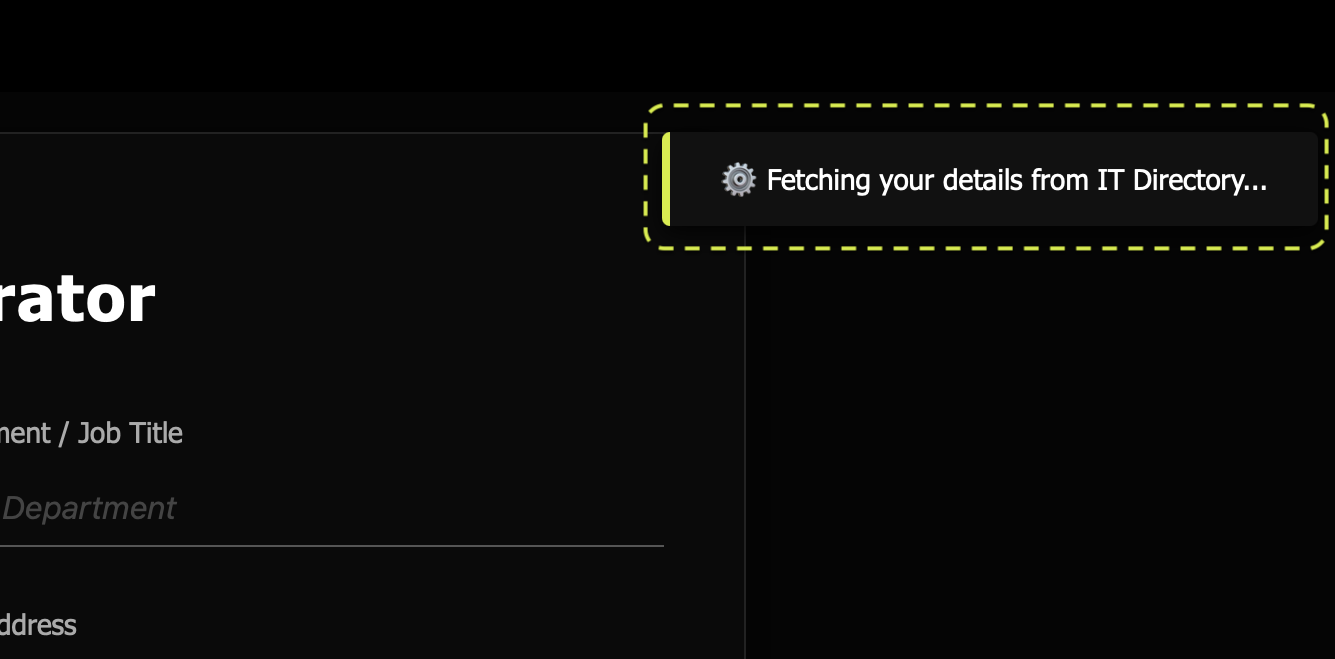
| Directory lookup delay left users staring at a blank form | Dismissible dark-mode “toast” (Fetching your details…), fades on data arrival |
| Raw loading text got stuck inside the phone field for users with no number on file | Toast decoupled entirely from form fields |
Empty phone number rendered as a bare t: label |
Phone block wrapped in its own element, hidden entirely when blank — email reflows to fill the space |
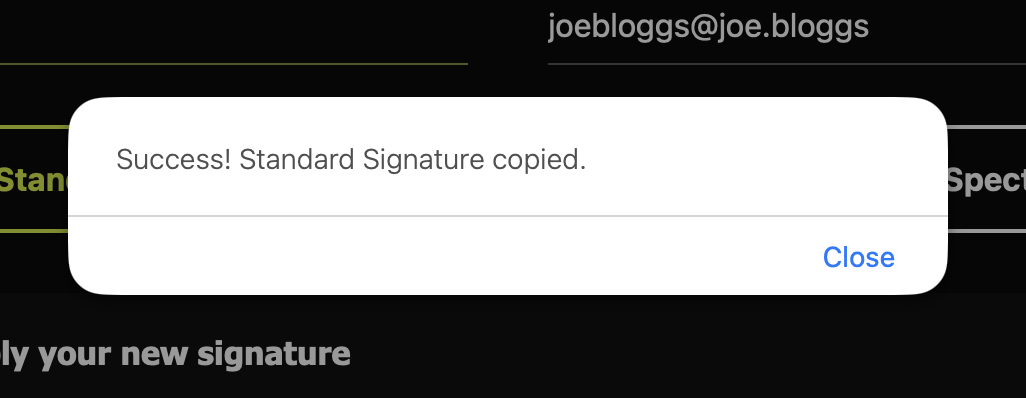
| Some staff need an extra wellbeing/benefits text block appended | Two explicit copy actions (Copy Standard / Copy + Extended) rather than a settings toggle — what’s copied always matches what’s visibly selected |
// Index.html — phone field graceful hide/show
var phoneWrapper = document.getElementById('phone-wrapper');
if (phone && phone.trim() !== '') {
  document.getElementById('prev-phone').innerText = phone.trim();
  phoneWrapper.style.display = 'inline';
} else {
  phoneWrapper.style.display = 'none';
}
💰 Cost & Business Impact
| Metric | In-house solution | Typical vendor (Exclaimer / CodeTwo) |
|---|---|---|
| Pricing model | — | ~£1.00–£1.50 / user / month |
| Annual cost (few hundred staff) | £0.00 | £4,500 – £9,000 |
| Setup | In-house engineering time | Consultancy + agency design fee |
| Data processing | Stays inside existing tenancy | Routed through third-party platform |
Beyond the licensing saving, the project delivered a bespoke animated brand asset a boutique creative agency would typically quote £1,500–£2,500 for separately, plus a reusable engineering pattern (Apps Script + Admin Directory API) extendable to future internal tools.
🚀 Deployment
- Source assets (final GIF, static PNG, AE project files) stored in a Shared Drive — not a personal account, so nothing breaks if an individual account is ever suspended.
- Apps Script deployed as Web App:
Execute as Me·Access: Anyone within the organisation. - Embedded as a full-page embed inside a dedicated Google Site page.
- Distributed via Managed Chrome Bookmarks policy (Workspace Admin Console → Devices → Chrome → Settings) — the tool appears directly in every staff member’s bookmarks bar with zero rollout email required.
- Versioning discipline: each major revision is a new Apps Script project (V1, V2, …) rather than an in-place overwrite — a working rollback is always one deploy away.
🛠️ Tech Stack
Google Apps Script · HTML/CSS/JS · Google Workspace Admin Directory API ·
Adobe After Effects · Adobe Media Encoder · Photoshop
📂 Repository Structure
email-signature-generator/
├── README.md
├── screenshots/
│   ├── Main_Screen.png
│   ├── Toast_Message_AD_Extract.png
│   └── Dialog_Signature_Copied.png
├── apps-script/
│   ├── Code.gs
│   └── Index.html
└── assets/
    ├── logo-static.png
    └── logo-animated.gif